
The contents of this article will guide you on how to solve errors from Safari when attempting to sign into your inMusic Profile via the inMusic Software Center
If you are experiencing the following error message when attempting to log in via Safari as your default browser, this may be due to a browser setting blocking your login attempt.
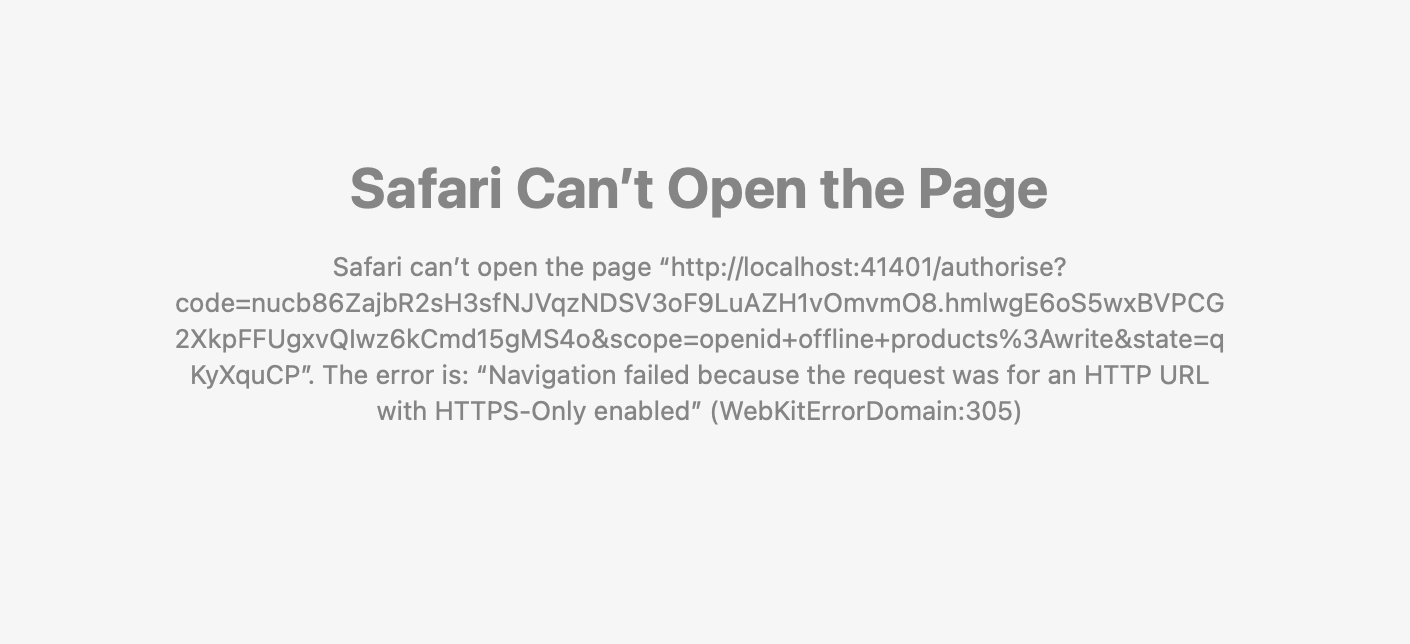
TABLE OF CONTENTS
Adjusting Safari Preferences
- Open Safari
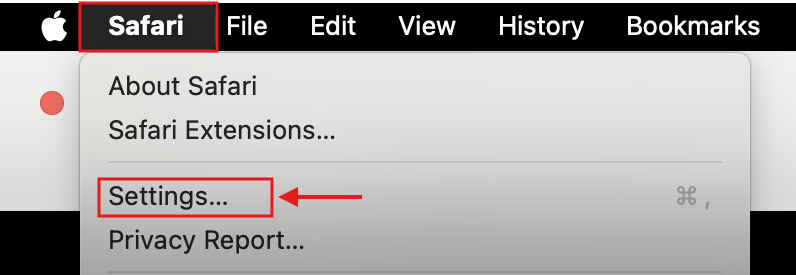
- In the top bar, click Safari
- Open Settings...
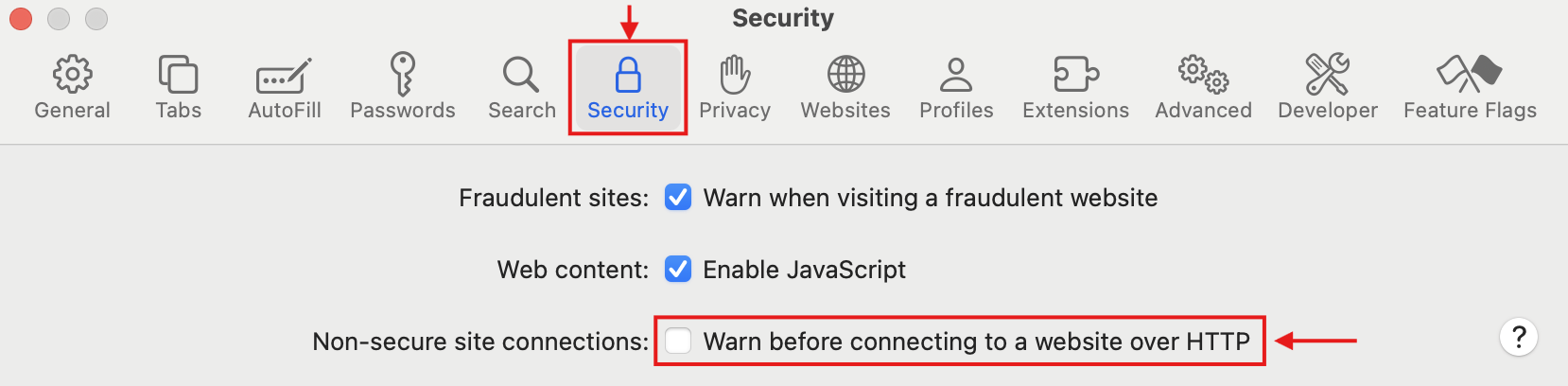
- Go to the Security tab
- Disable - Warn before connecting to a website over HTTP
Changing Default Browser
If you continue to see this error message within Safari, try an alternative browser such as Google Chrome or Mozilla Firefox.
Once installed, you will need to change the default browser via the System Settings.
To do this, please follow the steps below:
- Click on the Apple Icon
- Select System Settings
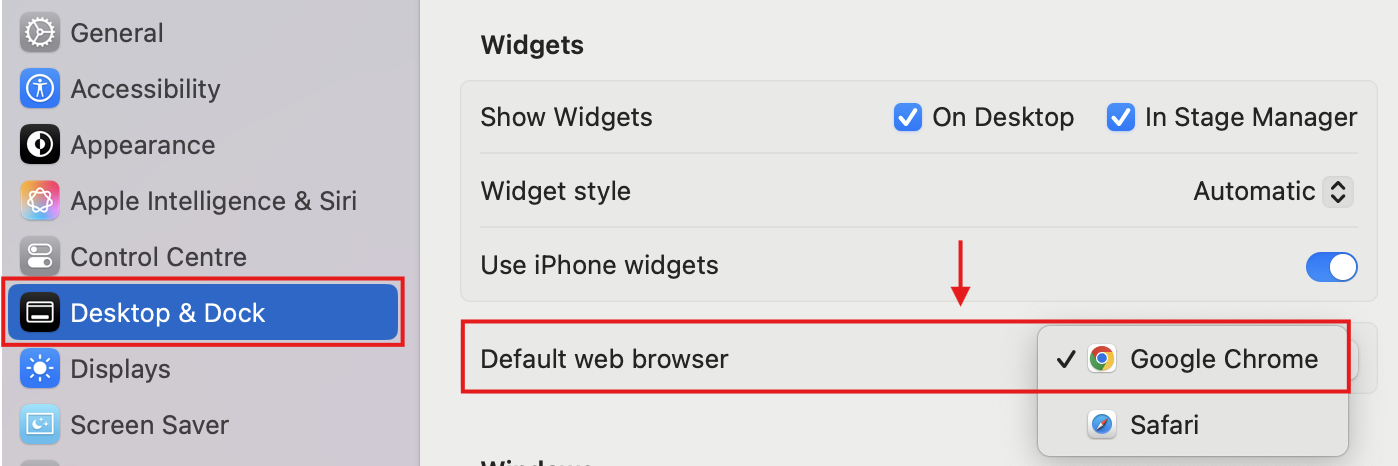
- Go to Desktop & Dock settings
- Scroll to Widgets
- Change the Default web browser from Safari to your alternative browser.
Once these settings have been updated, you'll be able to log in to your inMusic Profile and sync to the inMusic Software Center.
If you continue to encounter problems, please reach out to our customer support team for further assistance.
Was this article helpful?
That’s Great!
Thank you for your feedback
Sorry! We couldn't be helpful
Thank you for your feedback
Feedback sent
We appreciate your effort and will try to fix the article